
Melbet India Deposits – How to Fund Your Account
Melbet offers Indians fast account funding through popular local methods. The site accepts UPI, Paytm, PhonePe, and over 15 other options for quick transactions. Deposits can be completed via the mobile app or desktop version in minutes. First-time depositors often receive welcome bonuses on their initial transfers. The sections below explain available methods, limits, processing times, and steps to complete your first deposit successfully.
In this article
Deposit Methods India
Players in India can choose from 8 popular deposit options at Melbet. The site accepts local payment systems and digital wallets, which speeds up transactions. Most deposit methods also support withdrawals, which creates a smooth funding experience for users.
| Method | Deposit Min/Max | Withdrawal Min/Max | Processing Time | Extra Fees |
|---|---|---|---|---|
| UPI | ₹300 / ₹100,000 | ₹500 / ₹100,000 | Instant | None |
| Paytm | ₹300 / ₹100,000 | ₹500 / ₹100,000 | Instant | None |
| PhonePe | ₹300 / ₹100,000 | ₹500 / ₹100,000 | Instant | None |
| Google Pay | ₹300 / ₹100,000 | ₹500 / ₹100,000 | Instant | None |
| Bank Cards | ₹300 / ₹150,000 | Not available | Instant | None |
| Netbanking | ₹500 / ₹200,000 | ₹1,000 / ₹200,000 | 1-3 hours | None |
| AstroPay | ₹300 / ₹100,000 | ₹500 / ₹100,000 | Instant | None |
| Cryptocurrencies | ₹500 / ₹500,000 | ₹1,000 / ₹500,000 | 10-30 minutes | Network fees apply |
Account Funding Steps
The following subheaders guide through each stage of the standard deposit process on the desktop version of the site.
Login Registration
Users need to complete account setup before funding. Follow these steps to access deposit options.
- Register account. Open the official website and fill out the registration form with personal details.
- Sign in. Enter credentials on the login page to access the account dashboard.
Cashier Section
Access the deposit page with these actions after account login:
- Open the main menu. Locate the account menu icon at the top of the page.
- Select the cashier option. Click on the deposit button to proceed.
Payment Option
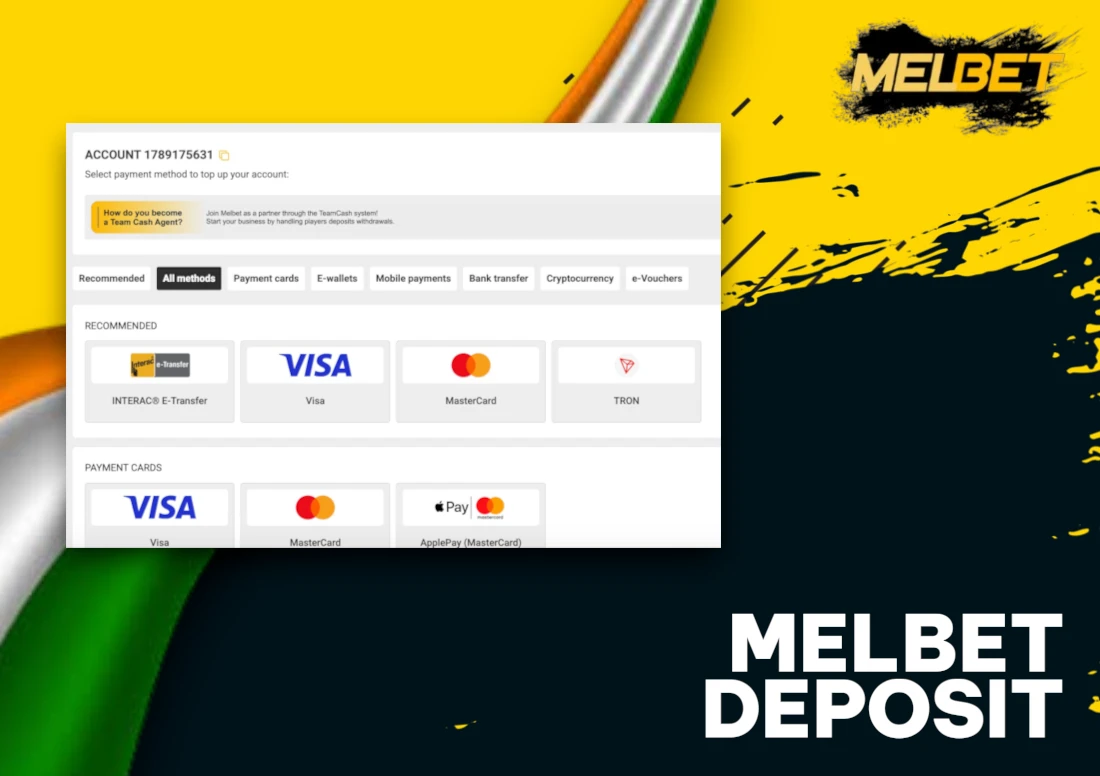
Select a method that matches funding needs and review transaction limits alongside processing durations to avoid delays.
- Check minimum and maximum deposit thresholds for each available method.
- Review processing timeframes to select the fastest option for account funding.
Deposit Amount
Proceed with the following actions to specify the transaction sum and confirm all requirements:
- Enter the deposit sum. Type the desired transaction amount and verify minimum and maximum limits displayed on the screen.
- Apply promotional code. Locate the promo code field and input the code.
Transaction Confirmation
Complete the final steps to add funds to your account. Follow these actions to verify the transaction and check the updated balance.
- Confirm the transaction on the Melbet payment page.
- Complete verification on your bank or e-wallet page and return to check your balance.
Mobile App Deposit
Deposits through the application on recent smartphones follow similar steps with touch navigation for quick account funding.
App Login
Access the account through these steps to start funding and enjoy the services:
- Launch application. Open the downloaded app on your device.
- Enter details. Sign in with username and password or use fingerprint authentication for faster access.
App Cashier
Access the deposit function through the mobile application with these actions:
- Tap the profile or wallet icon.
- Select the deposit section.
App Payment Method
Select from various deposit options on the application screen. Follow these steps to choose:
- Scroll through options. Browse the list of available deposit methods on the app screen.
- Pick your option. Select the method that matches your bank or wallet.
App Amount
- Tap the field. Select the deposit amount box and input the desired sum in ₹.
- Verify details. Check the prefilled bonus toggle and confirm the entered value.
App Transaction
Complete the deposit process with these final actions to add funds to the account:
- Confirm the transaction. Review the deposit details and approve the transaction inside the Melbet application.
- Authorise the payment. Open the bank or wallet application and authorise the transfer to complete the funding process.
Deposit Bonuses & Promotions
Melbet offers multiple promotional rewards for depositors in India. These incentives range from welcome packages to regular reload offers and cashback schemes. Terms and conditions apply to all promotions.
- Welcome bonus: New account holders receive up to ₹20,000 on their first deposit with a 100% match rate; minimum deposit ₹75 required and wagering requirements apply;
- Reload bonus: Regular depositors get 50% extra funds up to ₹5,000 on subsequent deposits; available weekly with ₹100 minimum deposit;
- Cashback offer: Players receive 10% cashback up to ₹3,000 on weekly losses; calculated every Monday and credited automatically;
- VIP deposit reward: High-volume depositors unlock exclusive 75% bonuses up to ₹15,000 monthly; requires ₹10,000 minimum deposit amount.
Verification Security Conditions
The site can request KYC verification before or after transactions to confirm identity. Players need to submit documents such as a passport copy, utility bill, or bank statement to complete this process. Name details on the account and payment method must match exactly to avoid delays. Accurate data entry remains essential for smooth processing. Providing correct information from the start helps prevent complications during withdrawals. The verification process protects both the player and the site from fraudulent activity.
Deposit Issues Solutions
Funding troubles can disrupt access to your account balance. The platform offers quick fixes for standard transaction problems. Gamblers in India encounter several obstacles when adding funds to their accounts.
- Payment declined – Double-check card details and ensure sufficient balance in your account; contact your bank to authorize online transactions;
- Delay in credit – Wait for 15 minutes for the transaction to process; reach out to customer support with the transaction reference number;
- Wrong amount – Screenshot the transaction confirmation and submit a support ticket; the team will investigate and credit the correct sum;
- Bonus not added – Verify that the deposit met the minimum requirement (₹100 in most cases); claim the offer manually through the promotions tab;
- Exceeding limits – Check the daily transaction cap (₹50,000 for most methods); split larger amounts into multiple transactions.
FAQ
How to check minimum deposit limit?
Users can view the minimum deposit amount for each payment option directly on the cashier screen. The payment information page also displays these limits for all available methods.
How long Melbet deposits take in India?
UPI and e-wallets credit accounts instantly, while bank transfers need 24 to 48 hours. Delays sometimes occur due to bank processing times and verification checks conducted by financial institutions.
What to do if deposit not credited?
Check transaction status with your bank or digital wallet and keep payment confirmation. Contact Melbet support through live chat or email when funds fail to appear after verification.
Are there fees on deposits?
Melbet does not charge deposit fees. Banks or payment wallets can apply standard transfer fees. Check terms with your payment provider before funding your account.
Can bonus apply to every deposit?
The welcome bonus applies to the first deposit only. Some reload offers can apply on selected days. Always read the terms and conditions for eligibility details.
How to deposit with mobile app?
Users log in to the application, open the deposit section, pick a method such as UPI or Paytm, enter the amount in INR, and confirm the transaction.