
Melbet Withdrawals – How to Cash Out Your Winnings
Players can access various payout options to transfer funds from their accounts to personal wallets or bank accounts. The platform supports over 20 methods, including UPI, IMPS, Paytm, and PhonePe, which suit local preferences. Users can request cash outs through the website or dedicated mobile app, available for Android and iOS devices. The process follows standard steps: selecting a method, entering the amount in INR, and confirming the transaction. Minimum and maximum limits vary by payment option. Processing times range from instant to 72 hours, depending on the chosen solution.
In this article
Withdrawal Options List
The table below compares payment methods available for deposits and withdrawals at Melbet, which helps choose the most suitable option for transactions.
| Method | Availability | Minimum Amount | Processing Speed | Notes |
|---|---|---|---|---|
| UPI | Deposit and Withdrawal | ₹300 | Instant | Popular among Indian users |
| Paytm | Deposit and Withdrawal | ₹300 | Instant | E-wallet option |
| PhonePe | Deposit and Withdrawal | ₹300 | Instant | Fast mobile payments |
| Bank Transfer | Deposit and Withdrawal | ₹500 | 1–3 business days | Traditional method |
| Credit Cards | Deposit only | ₹300 | Instant | Visa and Mastercard accepted |
| Debit Cards | Deposit and Withdrawal | ₹300 | Instant for deposits, 1–5 days for withdrawals | Visa and Mastercard accepted |
| AstroPay | Deposit and Withdrawal | ₹300 | Instant | Prepaid voucher system |
| Cryptocurrency | Deposit and Withdrawal | Varies | 15–30 minutes | Bitcoin and other coins |
Desktop Withdrawal Process
The following sections describe the step-by-step withdrawal process on desktop. The procedure remains consistent across most payment options available to Indian players on the site.
Account Login
Access the official website and enter valid login credentials to reach your account dashboard. Check the available balance displayed on the main page to confirm funds ready for withdrawal. Verify that the amount shown meets minimum requirements set by the site before proceeding.
Profile Section
Access the withdrawal section on desktop through the account menu to proceed with cash out requests.
- Log in. Enter your credentials on the Melbet homepage.
- Open profile. Click the account icon at the top right corner.
- Select finance. Navigate to the payments section from the dropdown menu.
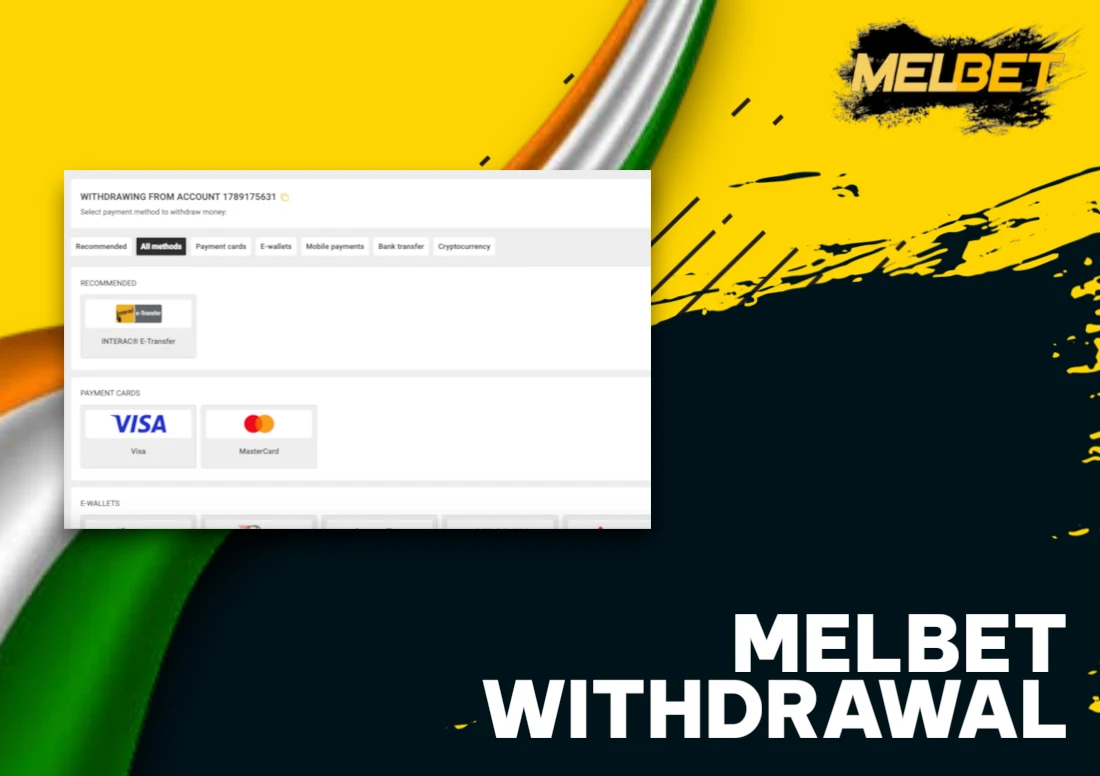
Withdrawal Menu
Access the cashier section to start the cash-out process.
- Log in to your account.
- Open the profile menu.
- Select the cashier area.
- Click on the withdrawal section.
- View available payment methods listed on the screen.
- Choose your preferred option to proceed.
Method Selection
Complete the payout process with these actions to select your withdrawal option and specify the amount in INR:
- Access the cashier section. Navigate to the cashier area on the account page.
- Select withdrawal option. Choose your preferred payout method from available options.
- Specify amount. Enter the desired sum.
- Review limits. Check minimum and maximum thresholds.
Request Confirmation Step
Final verification of your request allows you to check accuracy before submission. Follow these steps to confirm the transaction:
- Review selected payment method.
- Verify withdrawal sum in INR.
- Check account details for accuracy.
- Submit the confirmed request.
Processing duration varies based on the chosen method.
Mobile App Withdrawal
Withdrawals through the Melbet application follow the same flow as the desktop version. The following subsections detail each step in order for users in India.
Mobile App Login
Access the withdrawal function through these actions to cash out your winnings from your account.
- Launch the application. Open the Melbet mobile application on your device.
- Enter login details. Input your username and password or use biometric authentication.
- Verify account status. Check your account balance and confirm withdrawal eligibility in INR.
App Profile Section
Navigate through account settings to access withdrawal options with these steps:
- Launch the application. Open the Melbet app on your device.
- Access your profile. Tap the profile icon at the screen's top corner.
- Select payments. Choose the cashier or payments section to proceed with withdrawal.
App Withdrawal Menu
The mobile application provides quick access to payout options for users in India. Follow the steps to reach the withdrawal section and review the available methods.
- Open the application. Launch Melbet on your device.
- Access your profile. Tap the account icon.
- Select withdrawals. Find the payout tab.
- View methods. Check the displayed options.
- Confirm settings. Verify that methods match your account configuration.
App Method Choice
The mobile application allows gamblers to complete withdrawals through several steps. Select a withdrawal option from the menu. Enter the desired amount in INR. Fill in the required payment details. Check the minimum and maximum limits for the chosen method.
App Payout Confirmation
Follow these steps to finalize your cash-out request through the mobile application:
- Review withdrawal details. Check the amount and payment method selected on the confirmation screen.
- Submit the request. Tap the confirm button to proceed.
- Track status. Open transaction history to monitor progress.
Verification and Security Requirements
The withdrawal process requires identity confirmation steps that protect both the account holder and the company. The following checks apply to cash-out requests:
- Identity documents – submit a passport copy, Aadhaar card, or driver's licence to confirm your personal details;
- Proof of address – provide a utility bill or bank statement dated within the last 90 days;
- Account name match – the withdrawal method must be registered under the same name as the Melbet account;
- Large payout checks – withdrawals exceeding ₹100,000 trigger additional verification steps;
- Status monitoring – track document approval progress in the account area under the verification tab.
All submitted documents undergo review within 24 to 72 hours after submission.
Withdrawal Issues and Solutions
Players sometimes face obstacles when attempting to cash out funds from their accounts. Understanding these problems and their fixes helps resolve matters faster and smoother.
- Pending status – Transactions can remain under review for 24 to 72 hours during standard verification processes; contact support after 72 hours to check status;
- Rejected requests – Verify that all account documents are submitted and approved before attempting another withdrawal;
- Wrong details – Double-check bank account numbers, UPI IDs, and wallet addresses before submission to avoid errors;
- Unmet rollover – Complete the required turnover amount on deposits and bonuses before requesting payouts;
- Exceeded limits – Review daily and weekly withdrawal caps for the chosen payment method and split larger amounts across multiple transactions;
- Technical errors – Clear browser cache or switch to another device to resolve temporary system glitches.
FAQ
What Are the Withdrawal Limits?
Minimum limits start at ₹300, maximum limits reach ₹1,00,000 per transaction. Exact figures vary based on the chosen payment method and verification status.
What Are the Withdrawal Timeframes?
E-wallets and UPI process transactions within 15 minutes. Bank transfers take 1-5 days. Account verification status directly impacts processing speed for all payment methods.
Can I Cancel a Withdrawal?
Users can cancel pending transactions through their account dashboard. The option disappears once processing begins. Completed requests cannot be reversed by account holders.
Are There Any Fees on Withdrawals?
Melbet charges no withdrawal fees. Payment providers can set their own charges. Check the cashier section before confirming transactions to verify any applicable costs.
What Verification Documents Are Required?
Melbet requests government-issued photo ID and address proof for withdrawal verification. Submit clear scans with visible text and uncut edges for faster approval.
Can I Make Withdrawals Through the Mobile App?
Yes, withdrawals function completely through the Melbet mobile application. All payment options and transaction limits remain identical to the desktop version for Indian players.